
What's New in DeZign for Databases V14
We’re always adding new features to DeZign for Databases so you can model with precision and control. DeZign for Databases V14 is a major release that enables parallel development using folder-based projects and Git.
This document outlines the host of new features and improvements that help make DeZign for Databases the ultimate data modeling tool.
Most recent version is 14.8.0.
Release notes for version 14.8.0
Visually display database views in diagrams
Until recently, views could only be defined for reference purposes and could not be shown on the diagrams alongside entities/tables. From now on you can display views on a diagram.
When a view is added to the diagram, DeZign for Databases automatically analyzes the view code and detects and adds relationships to the entities/tables in the diagram.
Introduced in version 14.5
Available in all editions
Snowflake support
DeZign for Databases has been adapted to enable data modeling for Snowflake databases. Our software connects to your Snowflake databases and reads out the structure of the database. After the connection with the Snowflake database has been set up, the structure of tables, views, primary key constraints, foreign key constraints, sequences, procedures and functions are loaded into DeZign for Databases.
Generate complete new Snowflake databases, generate alter scripts to update your Snowflake database, or connect and update your data model when your Snowflake database has changed outside of DeZign for Databases. As you can read, all existing DeZign for Databases features are supported for Snowflake databases.
Read more about Snowflake support.
Introduced in version 14.4
Available in all editions
Google BigQuery support
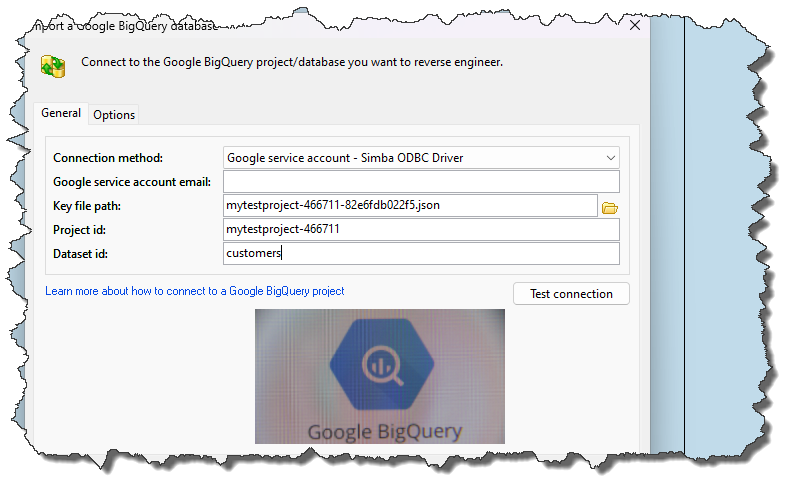
Visually navigate and design your BigQuery cloud data warehouse with DeZign for Databases now. You can model BigQuery databases, reverse engineer and generate BigQuery databases. After comparing your data model to your database, you can generate (BigQuery specific) alter database scripts to update your database. BigQuery specific elements such as STRUCTS/Records, VECTOR indexes etc are supported: Read more about BigQuery support.
Introduced in version 14.3
Available in all editions
Parallel modeling with folder-based projects
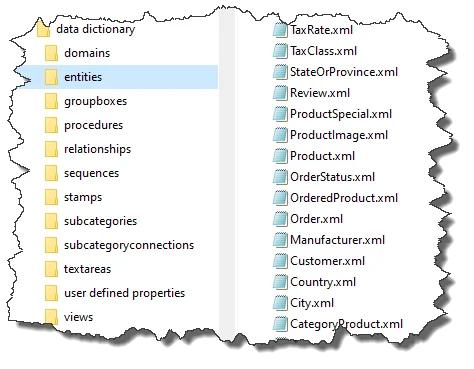
In previous versions, the project data was always stored in a single XML file, which is not well suited for version control integrations. In version 14 we introduce folder-based projects. The project data is split over multiple files (one for each object). Its main advantage is that it's adjusted to store project files in Version Control Systems such as Git: the project data is split over multiple files, and merge conflicts are less likely.
When you open a folder-based project, DeZign for Databases will automatically check the files for merge conflicts.
Available in the Professional and Expert edition
Stay organized with the Labeled objects panel
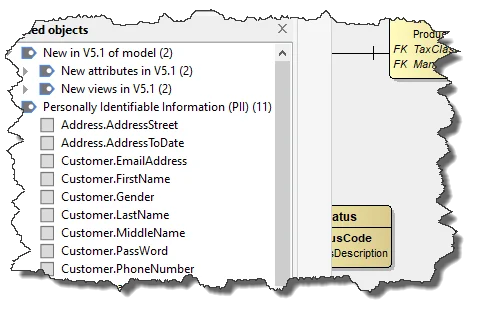
In DeZign for Databases, you can use labels to categorize your database objects such as entities, views, attributes, etc. Labels are like folders, but with a twist—you can apply several labels to an object, then later find the object by clicking any of its labels from the new Labeled objects browser in the left panel.
It is also possible to create sublabels (nested labels). Sublabels or nested labels, allow you to create a sophisticated organizational structure in the vast swamp of objects and diagrams in your project.
Available in all editions
On-diagram editing
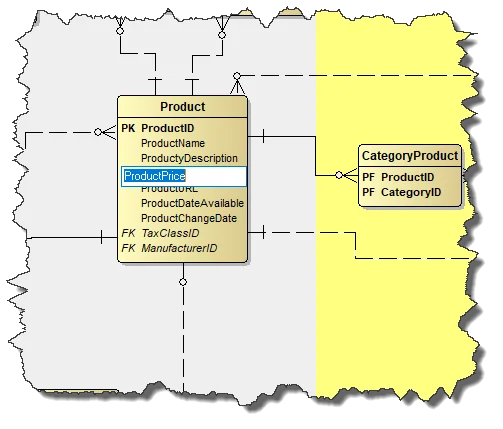
As you design a model, the names of entities and attributes may change. In version 14 you can edit objects directly in the diagram window (Instead of opening the Entity dialog each time you want to change a name).
To invoke the inplace on-diagram editor, simply click on the item you want to edit and hold down the left mousebutton for one second. You can also hold down the Alt-key and click on the item you want to edit.
Available in all editions
Easily switch to another project format
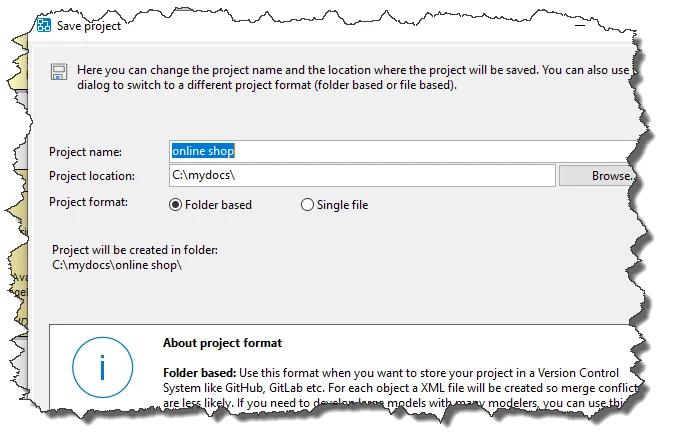
Version 14 supports two types of project formats: folder-based project and a single file project. Single file based projects (.dez files) are best suited to single user development with the project file placed on the developers local drive.
Many projects will start out as single user project and later be migrated into a folder-based project for larger team access (with Git).
You can easily switch from one format to another in the Save as dialog.
Available in the Professional and Expert edition
Label objects in the Object browser
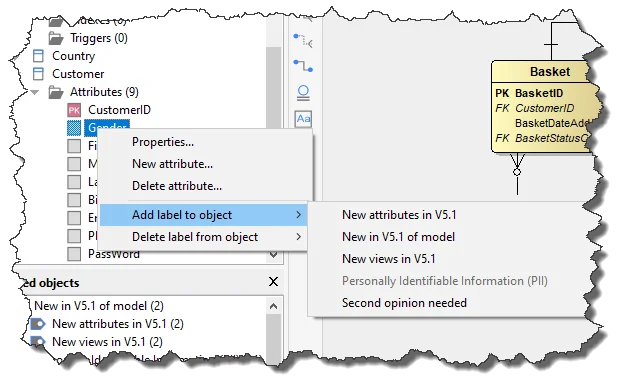
You can now label objects via the object's context menu in the Object browser. You can also drag objects from the Object browser to the and drop the object on the label in the Labeled objects browser to label an object.
Available in all editions
Merge conflict detection
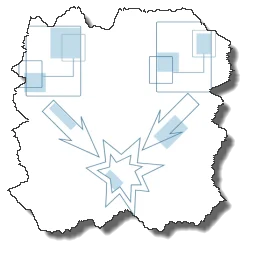
Merge conflicts are almost unavoidable when there are multiple people involved in the DevOps process. These can arise when two users are making changes to the same object. DeZign for Databases V14 will detect merge conflicts that need to be resolved when opening your project.
Available in the Professional and Expert edition
PostgreSQL 16, Oracle 23c and MS SQL Server 2022 support
The list of supported databases keeps growing. We have added support for PostgreSQL 16, Oracle 23c and MS SQL Server 2022. We have enhanced DeZign for Databases to support the new features introduced in these databases.
Reverse engineering, forward engineering and altering databases are supported for PostgreSQL, MS SQL Server and Oracle databases.
Forward engineering is available in all editions. Reverse engineering is available in the Professional en Expert edition.
In-project version control for folder-based projects
In version 14.2 we added in-project version control for folder-based projects. You can archive snapshots of your data model in your project. In fact, the versions of your data model are stored as static XML files in a subfolder of your folder-based project.
Archived versions are automatically converted when you switch between the file-based or folder-based project format.
Available in all editions
Version History
This list is not complete. Version 14 contains many more new features and enhancements. You can read the complete list of changes in the version history.
Try DeZign for Databases Version 14 for free
Download a free trial, and start modeling today.